
Download Victoria HDD/SSD – HDD, SSD, storage, diagnostics, repair, analyze, test, Windows, PC, drive, health, SMART, SATA, NVMe, SAS, SCSI, USB
Overview
Victoria HDD/SSD is a specialized utility tool designed for Windows users seeking to diagnose, test, repair, and analyze the health of various storage devices. The application supports a broad range of drives including HDDs, SSDs, USB flash drives, and SD cards, making it a versatile solution for both casual users and IT professionals. Its primary purpose is to help users assess the physical and operational condition of their storage hardware, identify potential issues before data loss occurs, and ensure optimal performance. The tool is particularly valuable for individuals managing critical data, system administrators, or anyone maintaining aging hardware.
By leveraging advanced diagnostic capabilities, Victoria HDD/SSD enables users to detect corrupted sectors, monitor SMART attributes, and evaluate read/write speeds. These functions address common challenges such as silent drive degradation, unexpected crashes, and performance bottlenecks. The app is especially useful in preventive maintenance scenarios, where early detection of drive failure can save valuable data and reduce downtime. While the developer did not provide additional background information, the app’s technical depth suggests a focus on reliability and precision for storage diagnostics.
Real-world use cases include troubleshooting a slow-running system, verifying drive health after a crash, or validating the integrity of a drive before upgrading or replacing it. In the broader app ecosystem, Victoria HDD/SSD fills a niche as a powerful, no-cost tool for hardware-level diagnostics—offering capabilities that are often missing from standard system utilities.
Key Features & Functionality
- Corrupted Sector Detection: The built-in storage surface scanner performs deep analysis of the drive’s physical surface to identify bad or corrupted sectors. This process may take several hours depending on drive size and condition, but it provides essential data for determining whether a drive is nearing failure. The visual monitor clearly highlights problematic areas, allowing users to make informed decisions about drive replacement.
- Performance Testing: Users can run comprehensive read and write speed tests to evaluate the actual performance of their storage devices. This feature is critical for verifying that SSDs or HDDs meet manufacturer specifications, especially after installation or upgrades. Results help identify bottlenecks in system performance and validate the effectiveness of storage configurations.
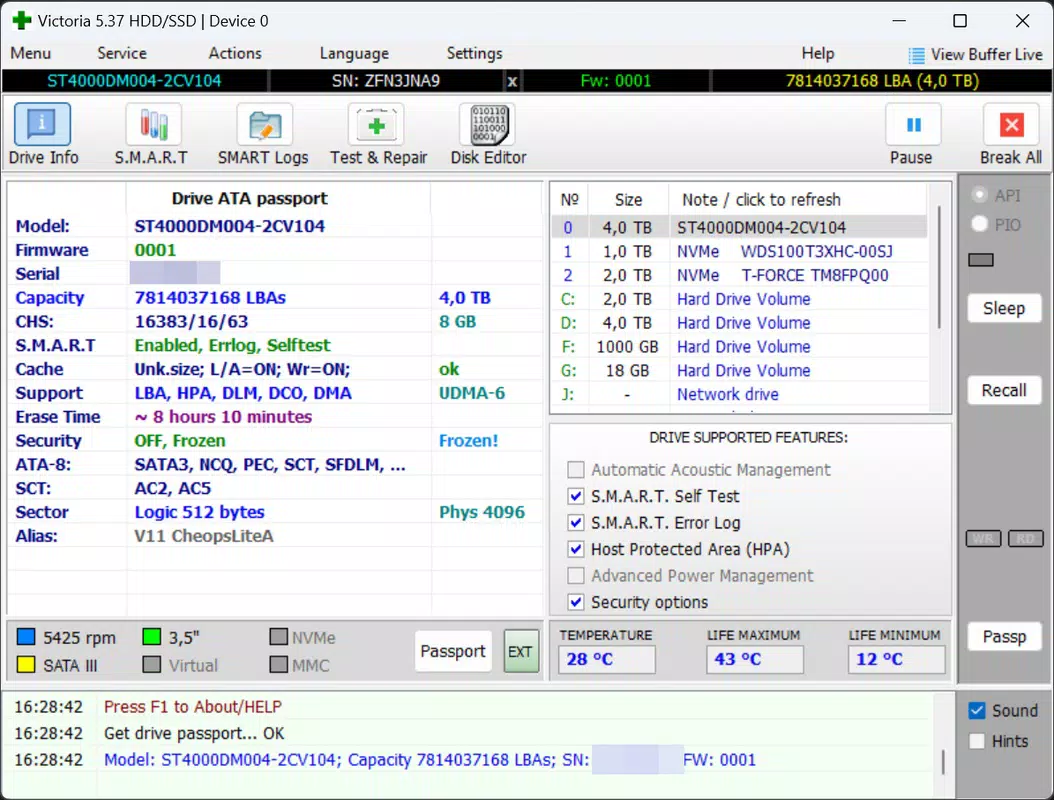
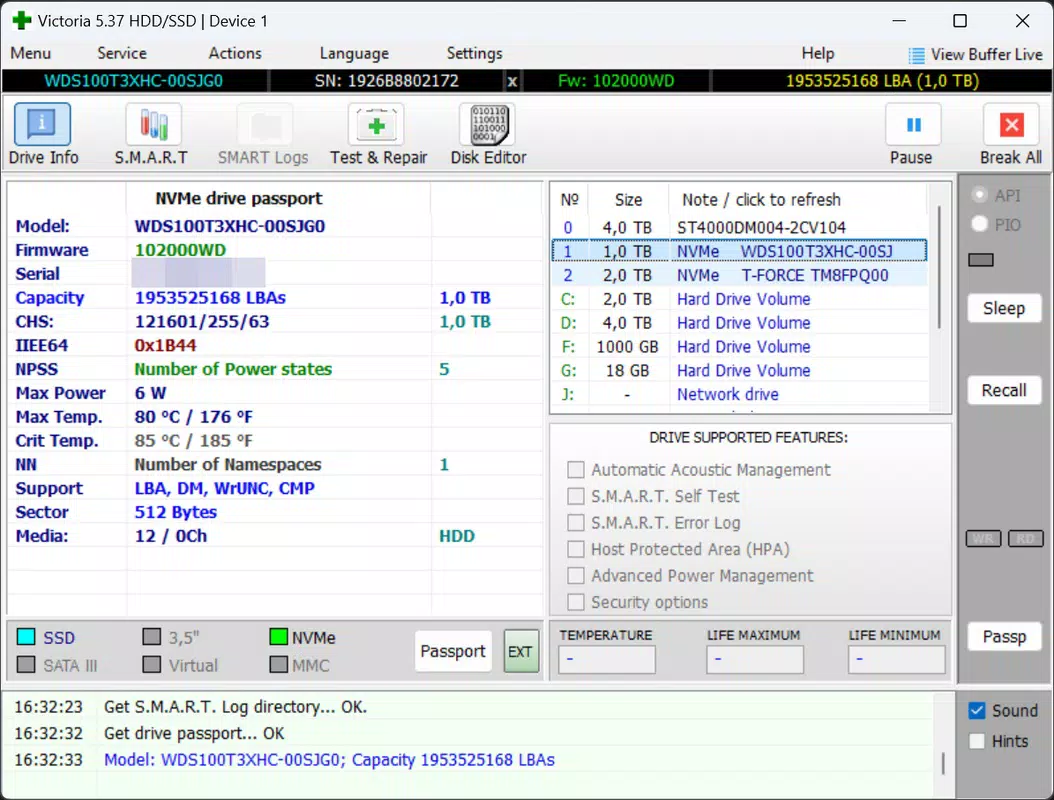
- Detailed Drive Information: The tool retrieves and displays a wide range of technical specifications, including model number, firmware version, serial number, capacity, and interface type. This data is invaluable for troubleshooting, documentation, or verifying compatibility during hardware upgrades.
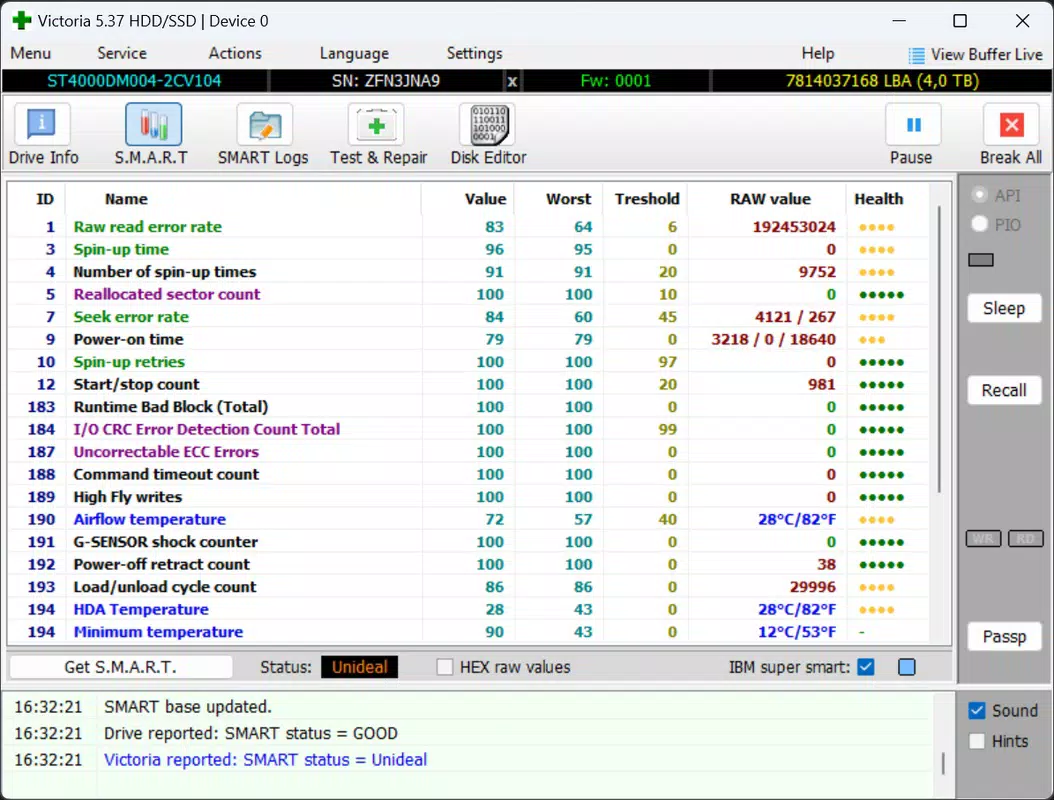
- SMART Monitoring: Integrated SMART (Self-Monitoring, Analysis, and Reporting Technology) support allows users to track key health indicators such as operational hours, temperature, reallocated sector count, and error rates. These metrics offer predictive insights into drive longevity and potential failure points.
- Multi-Interface Compatibility: Victoria HDD/SSD supports SATA, NVMe, SAS, SCSI, and USB interfaces, ensuring broad compatibility across modern and legacy storage devices. This versatility makes it a go-to tool for users working with diverse hardware setups.
For example, a user experiencing frequent system freezes might run a surface scan to check for bad sectors. Similarly, a technician preparing to deploy new SSDs could use performance testing to ensure consistent speeds across multiple units. The tool’s ability to deliver actionable data directly from the hardware level sets it apart from basic disk utilities.
Interface, UX & Performance
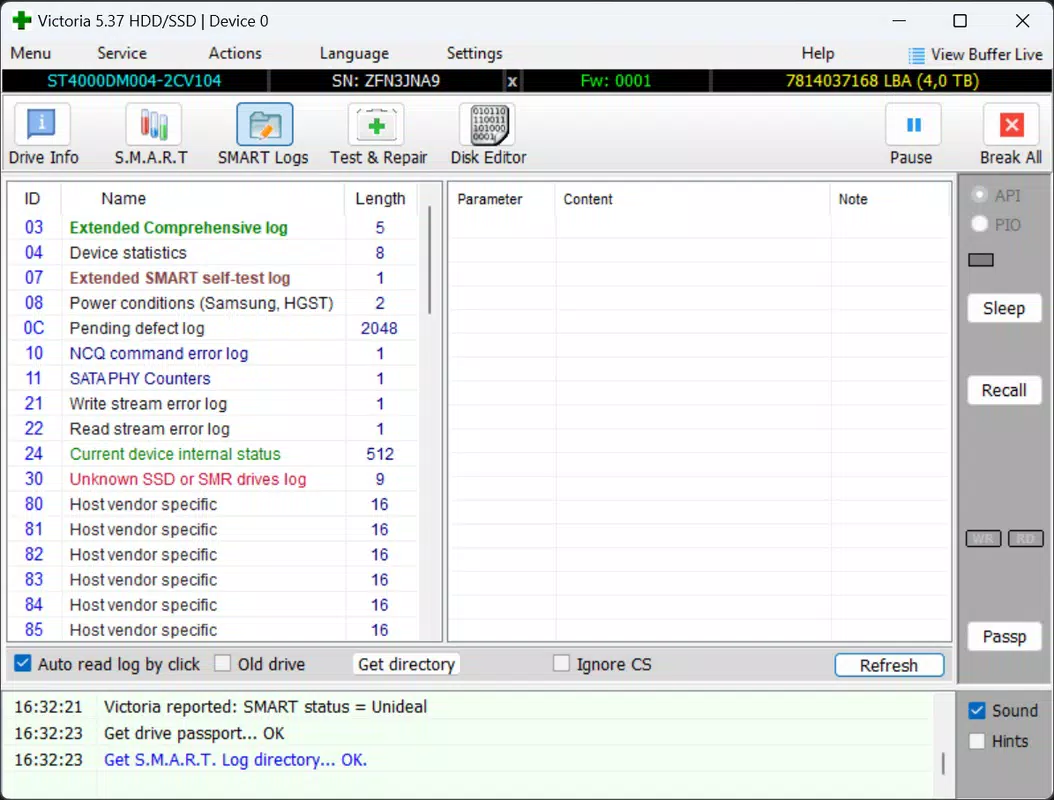
The user interface of Victoria HDD/SSD is designed with functionality over aesthetics, prioritizing clarity and access to technical data. The layout is organized into logical sections, allowing users to navigate between diagnostics, performance tests, SMART monitoring, and drive information with minimal effort. Menus are straightforward, and key functions are accessible via clearly labeled buttons and tabs.
Navigation is consistent across all features, with minimal onboarding required. The app does not rely on visual animations or complex workflows, which enhances responsiveness and reduces the chance of user error. Users can quickly select a drive and initiate a scan or test without confusion. The visual monitor for corrupted sectors is intuitive, using color-coded indicators to highlight problematic areas.
Although the developer did not list formal performance metrics, the tool operates efficiently within the Windows environment, consuming minimal system resources during operation. It runs smoothly on both older and modern Windows systems, with no reported instability during extended diagnostics. Responsiveness is maintained even during lengthy scans, and the application remains accessible for user input throughout the process.
Stability appears strong, with no known crashes or data corruption issues reported in the provided information. The app is designed for long-running tasks, and users can safely leave it running in the background while performing other work.
Platform Compatibility & Technical Requirements
Victoria HDD/SSD is available exclusively for the Windows platform, supporting the latest versions of the operating system as of its release date. The application has a file size of 14.1 MB, indicating a lightweight footprint that does not burden system storage. It is currently available in version 3.52.0.
The developer did not specify minimum OS requirements or hardware compatibility beyond the supported interfaces. However, given its compatibility with SATA, NVMe, SAS, SCSI, and USB drives, the app is likely designed to function on systems with standard storage controllers. Specific requirements such as CPU architecture, RAM, or driver versions were not disclosed.
Users should ensure their system has the necessary drivers installed for proper device recognition, especially for NVMe or SCSI drives. The absence of detailed technical specifications does not detract from the app’s core functionality, as it operates directly through Windows’ storage stack.
Pros and Cons
Pros
- Comprehensive diagnostics for HDDs, SSDs, USB drives, and SD cards
- Supports multiple storage interfaces including SATA, NVMe, SAS, SCSI, and USB
- Free to download and use with no hidden costs
- Provides detailed SMART monitoring and health analytics
- Lightweight design with minimal system resource usage
Cons
- Developer did not provide detailed system requirements
- Interface prioritizes function over visual appeal
- No mobile or cross-platform availability
- Long diagnostic scans may require extended user attention
- Not suitable for non-technical users without guidance
FAQ
Is Victoria HDD/SSD safe to use on my storage devices?
Yes, the tool is designed to read and analyze drive data without modifying the file system or writing to the storage medium unless explicitly instructed. Users should always back up important data before running deep diagnostics.
Can I use Victoria HDD/SSD on older Windows systems?
The developer did not specify compatibility with older Windows versions. While the app may function on earlier systems, this was not confirmed in the provided information.
Does Victoria HDD/SSD require admin privileges to run?
Given its access to low-level storage hardware, the application likely requires elevated permissions. Users should run it as an administrator to ensure full functionality.
How long do diagnostic scans typically take?
Scans can take several hours, especially on larger drives. The duration depends on the drive size, condition, and selected scan type. Users are advised to allow uninterrupted time for completion.
Is Victoria HDD/SSD available for Android or iOS?
No, the app is currently only available for Windows. There is no official version for mobile platforms.
Final Thoughts
Victoria HDD/SSD stands out as a powerful, free utility for anyone serious about maintaining the health and performance of their storage devices. Its ability to detect corrupted sectors, monitor SMART data, and test drive speeds makes it an essential tool for both technical and non-technical users who value data integrity. While the interface is functional rather than flashy, its depth of insight and broad compatibility justify its use.
For system administrators, IT professionals, and power users managing critical data, Victoria HDD/SSD offers a reliable, no-cost solution for proactive drive maintenance. It fills a crucial gap in standard Windows utilities by providing hardware-level diagnostics that are otherwise inaccessible.
Download Victoria HDD/SSD now to safeguard your data and ensure your storage devices are performing at their best.


